
Apps · Sales
CRM
Run your pipeline — capture leads, qualify opportunities, plan the next activity and forecast what will close.
The CRM app is where demand becomes revenue. Leads arrive, you qualify them into opportunities, and a visual pipeline keeps every deal moving with a clear next step. Nothing here is a separate system — a won opportunity becomes a quotation in the same workspace.
The pipeline#
Opportunities live on a kanban board, one column per stage. Drag a card forward as the deal progresses; the stage drives your forecast.
| Stage | Means | | --- | --- | | New | Captured, not yet qualified. | | Qualified | A real need, budget and a contact. | | Proposition | A quotation is out. | | Won / Lost | Closed — with a reason recorded either way. |
The healthiest pipelines have a scheduled activity on every open deal — a call, an email, a meeting. Quelixa flags opportunities with no planned next step so nothing goes cold.
From lead to opportunity#
- Capture the lead
Leads come from your website forms, an import, or by hand. Optionally route them through a Leads stage for qualification before they hit the pipeline.
- Qualify
Add the expected revenue, the contact and the need. Promote it to an opportunity when it's real.
- Plan the next step
Schedule the next activity right on the card — Quelixa reminds you when it's due.
- Quote
When you're ready to propose, create a quotation directly from the opportunity. See Quotations & Orders.
Activities & the chatter#
Every opportunity carries its own log: emails, notes, calls and scheduled to-dos. Because it's attached to the record, anyone picking up the deal sees the full history — not a personal inbox they can't reach.
Forecasting#
The pipeline rolls up into a forecast weighted by stage and expected close date, so you can see what's likely to land this month versus next.
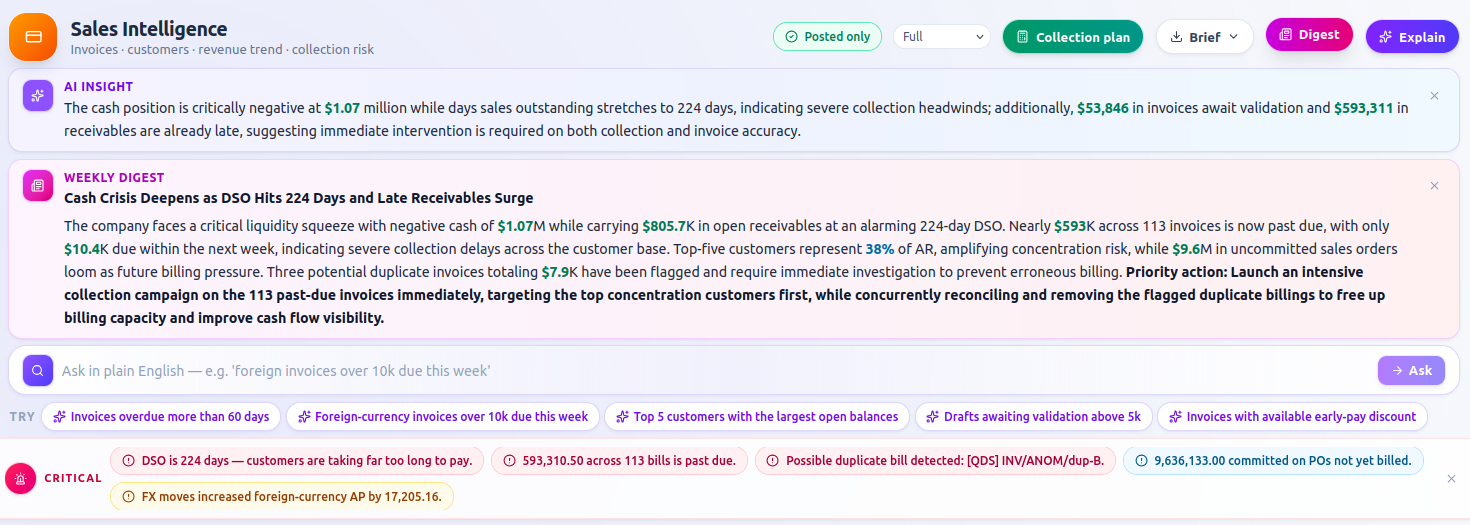
Insight · Fusion The Sale Intelligence board adds conversion rates, pipeline velocity and win/loss analysis. Nova · Aurora Ask the concierge which deals are stalling, or to summarise an account before a call.